OMG Marketing / Software / DripReady
Every nurse ready to work, and the record to prove it.

DripReady runs your nurse hiring, onboarding and compliance, under your brand. Your nurses see your logo, your colors and your own welcome message.
Tap through the screens
The same rules for every nurse
A ticked checklist isn’t permission.
DripReady keeps “finished” and “cleared” apart on purpose, for every nurse, whoever is working the list that day.
Finished
Every box on her checklist is ticked.
Her paperwork is in. On its own, that doesn’t let her see a single patient: until someone clears her, she’s still being onboarded.
Cleared to work
On top of the checklist, all of this.
- Her license was confirmed clear in the last 30 days.
- No check is flagged or left unanswered. “Could not check” counts as a no.
- She’s set up on any company software you say she can’t start without.
- A named person clears her, and their name stays on her record for good.
All of it is asked again at the moment she’s cleared, so an old screen can’t let anyone through.
One nurse, start to finish
From her application to cleared to work.
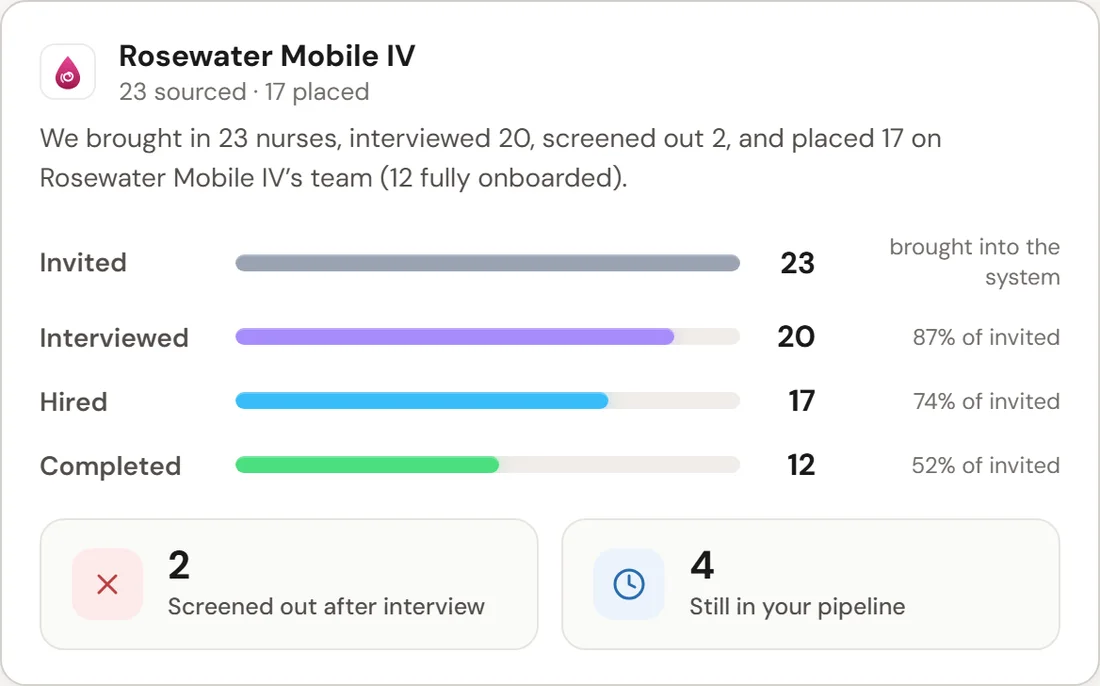
Every nurse goes through the same steps, in the order you set, and every step leaves a record. Each one says who does it. Shown on a demo company, Rosewater Mobile IV.
The nurseOur team
-
01The nurse
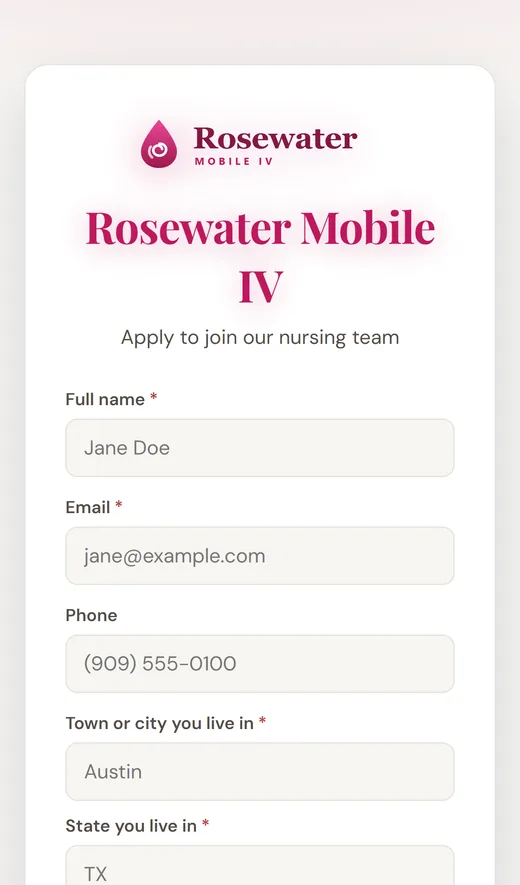
She applies.
On your own apply page, with your name and logo on it. Share the link anywhere, or print its QR code.
-
02Our team
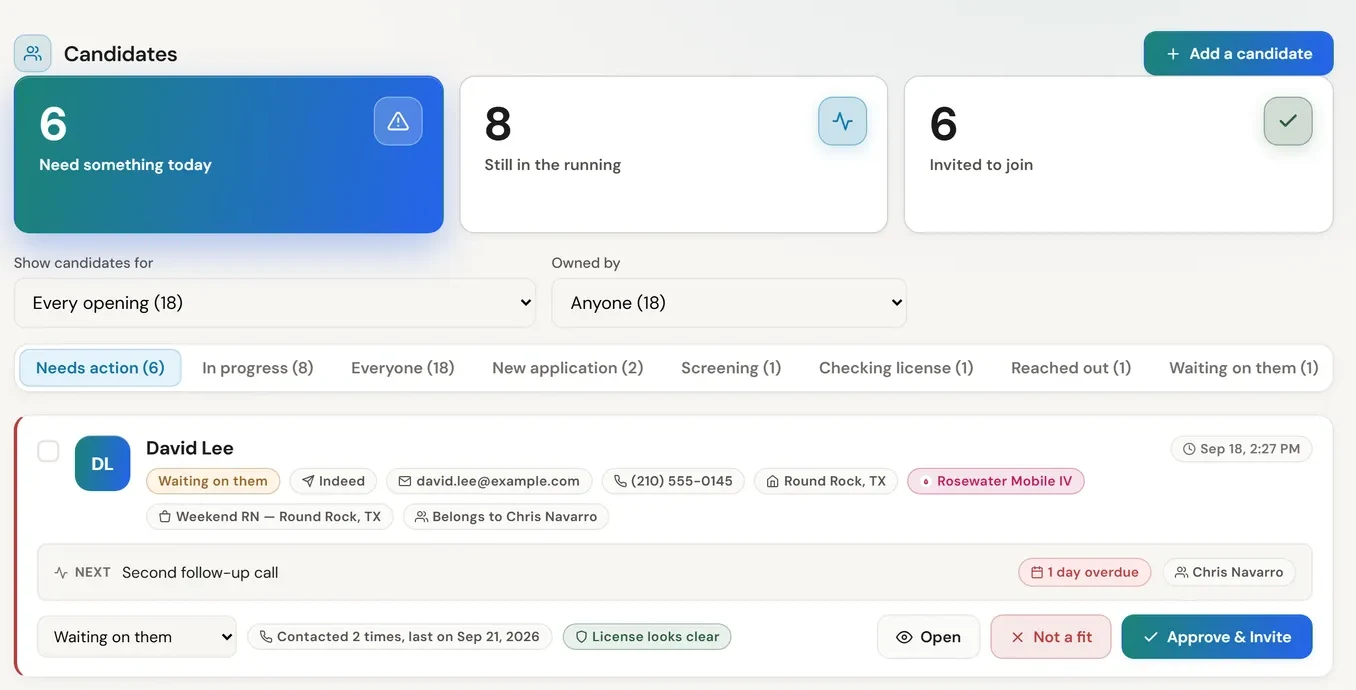
We screen her, and look up her license.
Every candidate gets a stage, a next step, an owner and a date, so nobody is forgotten. Before an interview is booked, a person looks her license up on the license board’s own website and writes down what they saw.
-
03The nurseOur team
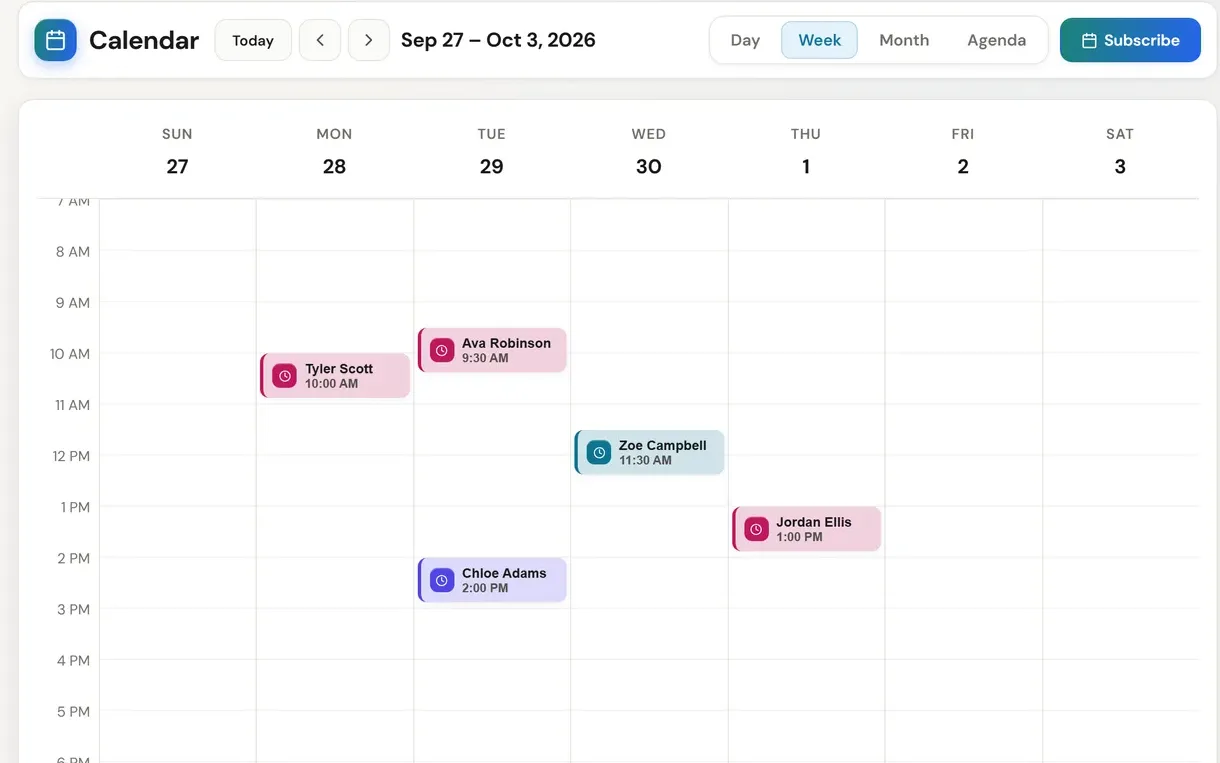
She books her own interview.
She picks a time from the open hours on her phone. The video interview is recorded once she agrees to it, and scored during the call against a list of what has to be said out loud.
-
04The nurse
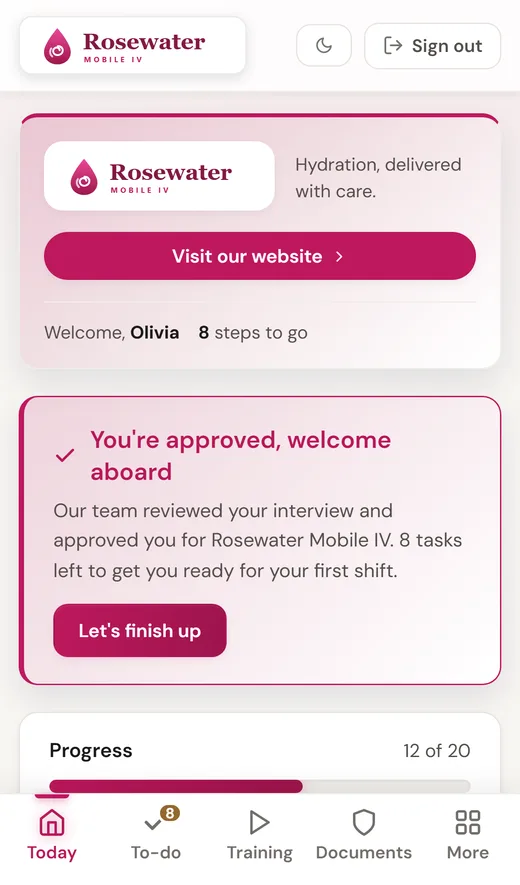
Approved: her checklist opens.
The moment she’s approved, the rest of her steps unlock. Her phone welcomes her in your words and tells her how many are left.
-
05The nurse
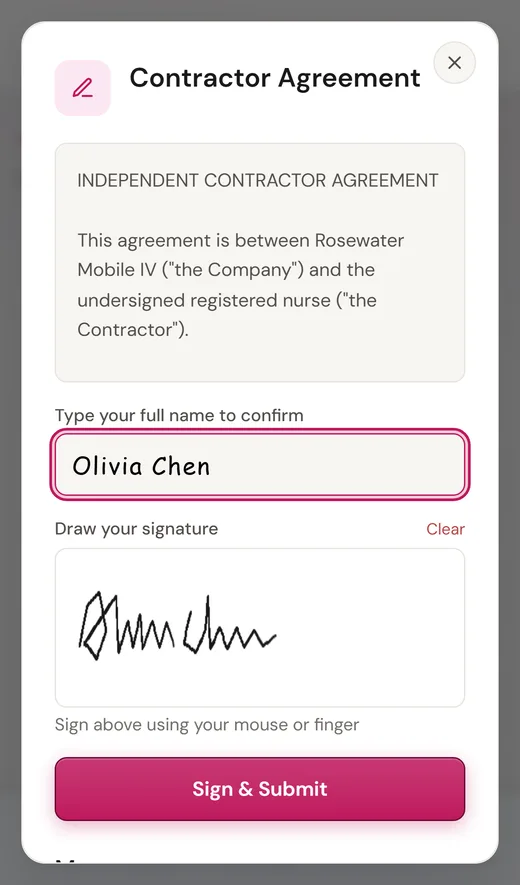
She trains, uploads and signs.
Videos, uploads, forms and agreements, in the order you set. A training video only counts once she’s watched it, and she signs with her finger onto the real document.
-
06Our team
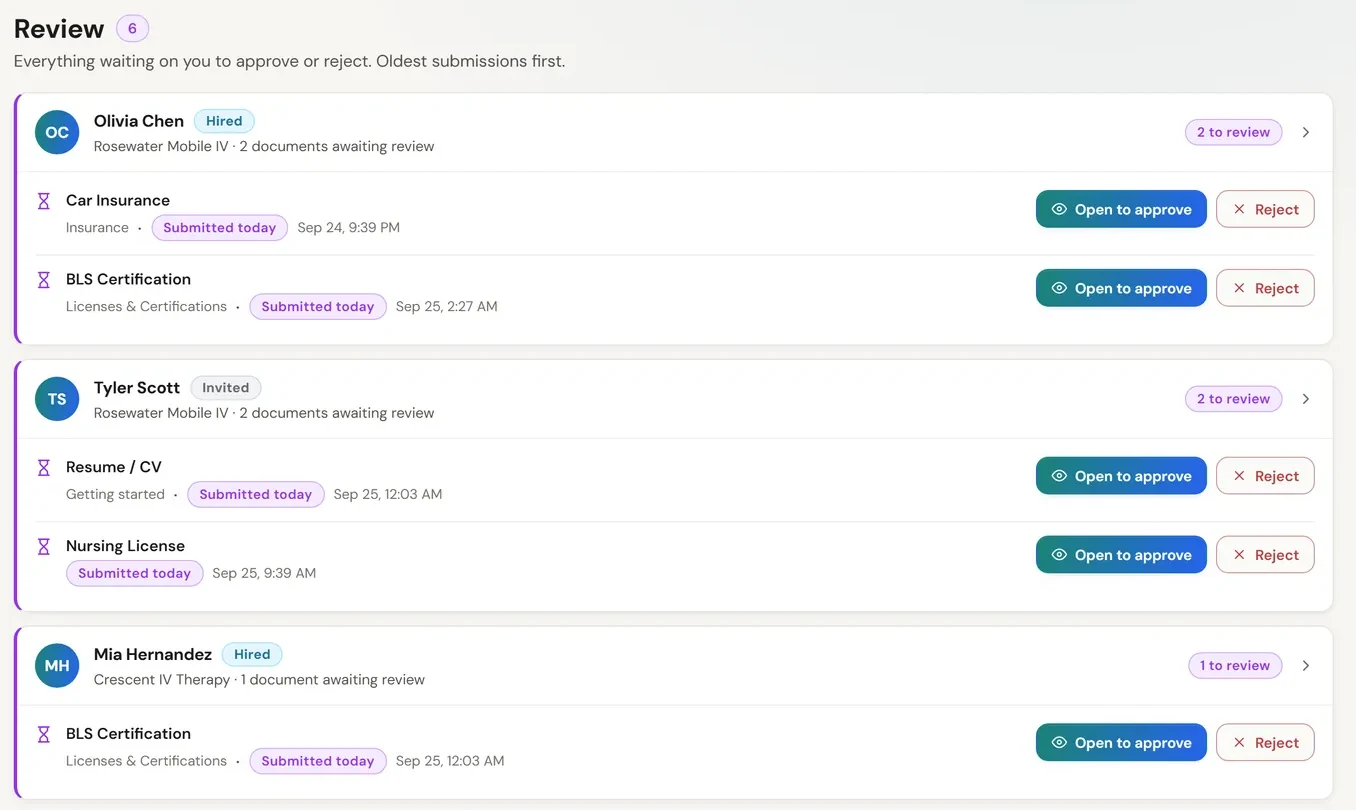
A person reviews every document.
Grouped by nurse, longest wait first. Where there’s a file, approving opens it first, and anything sent back comes with a reason she can read and fix.
-
07Our team
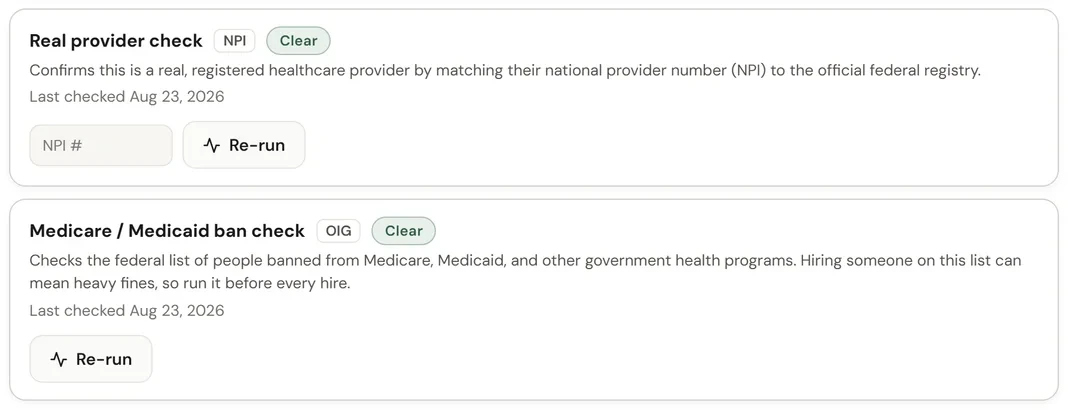
Checked against the federal lists.
Her provider number is checked against the national provider registry, and her name against the federal list of people banned from Medicare and Medicaid. Each check is recorded with its date, and any possible match goes to a person to review.
-
08Our team
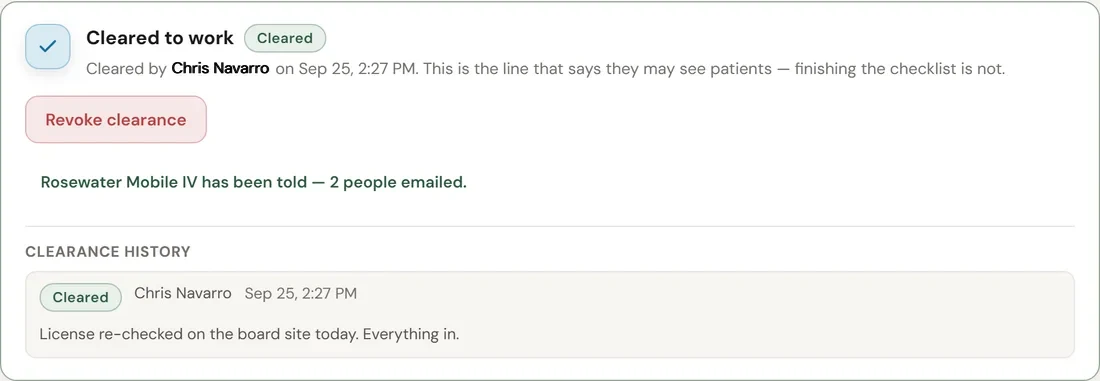
Cleared to work, with a name on it.
A named person presses Clear to work. The go-ahead is emailed the moment it’s given, saying who cleared her and when, and the decision stays on her record for good.
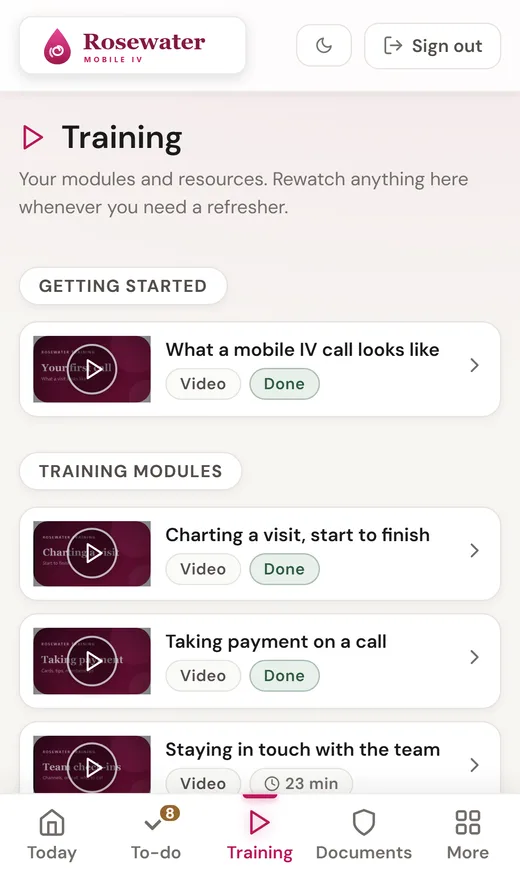
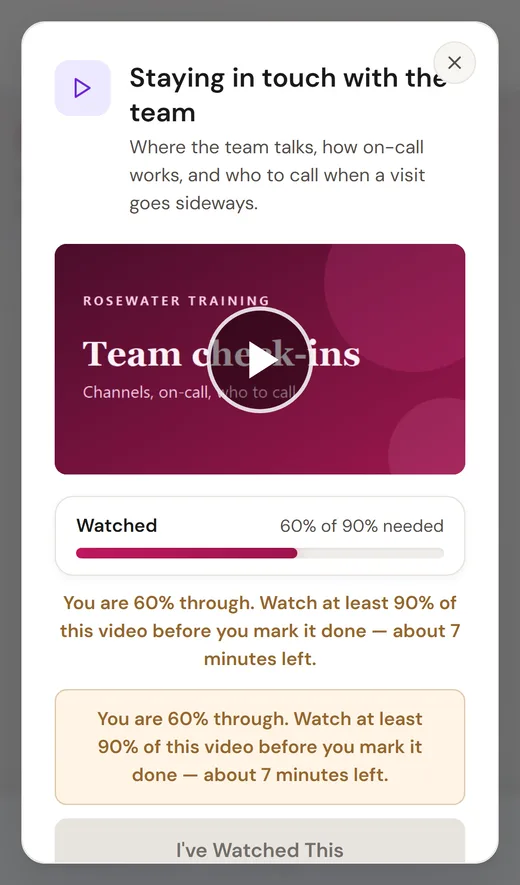
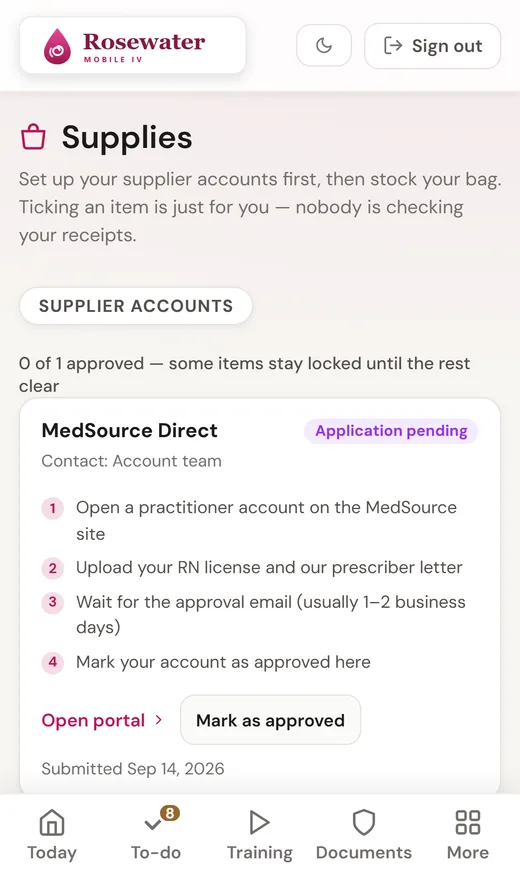
On her phone
Her whole checklist, in your brand.
A short app built for the phone, wearing your logo, your colors and your welcome line. Each part only shows up when there’s something in it.
- Today
- Your welcome, her progress, and what needs her next.
- To-do
- Her whole checklist under your own headings. Finished steps stay on the list, ticked.
- Training
- Video modules she can rewatch any time, with a quiz if you want one.
- Documents
- Every license and certificate she’s handed in, with its expiry date.
- Supplies
- Supplier accounts first, then her kit list with buy links. The buy buttons stay locked until her supplier account is approved.
- Messages
- A live thread with the office, with read receipts.
Demo company, sample nurse. It opens in her phone’s browser and can be added to her home screen.
What you see
Your spreadsheet, replaced.
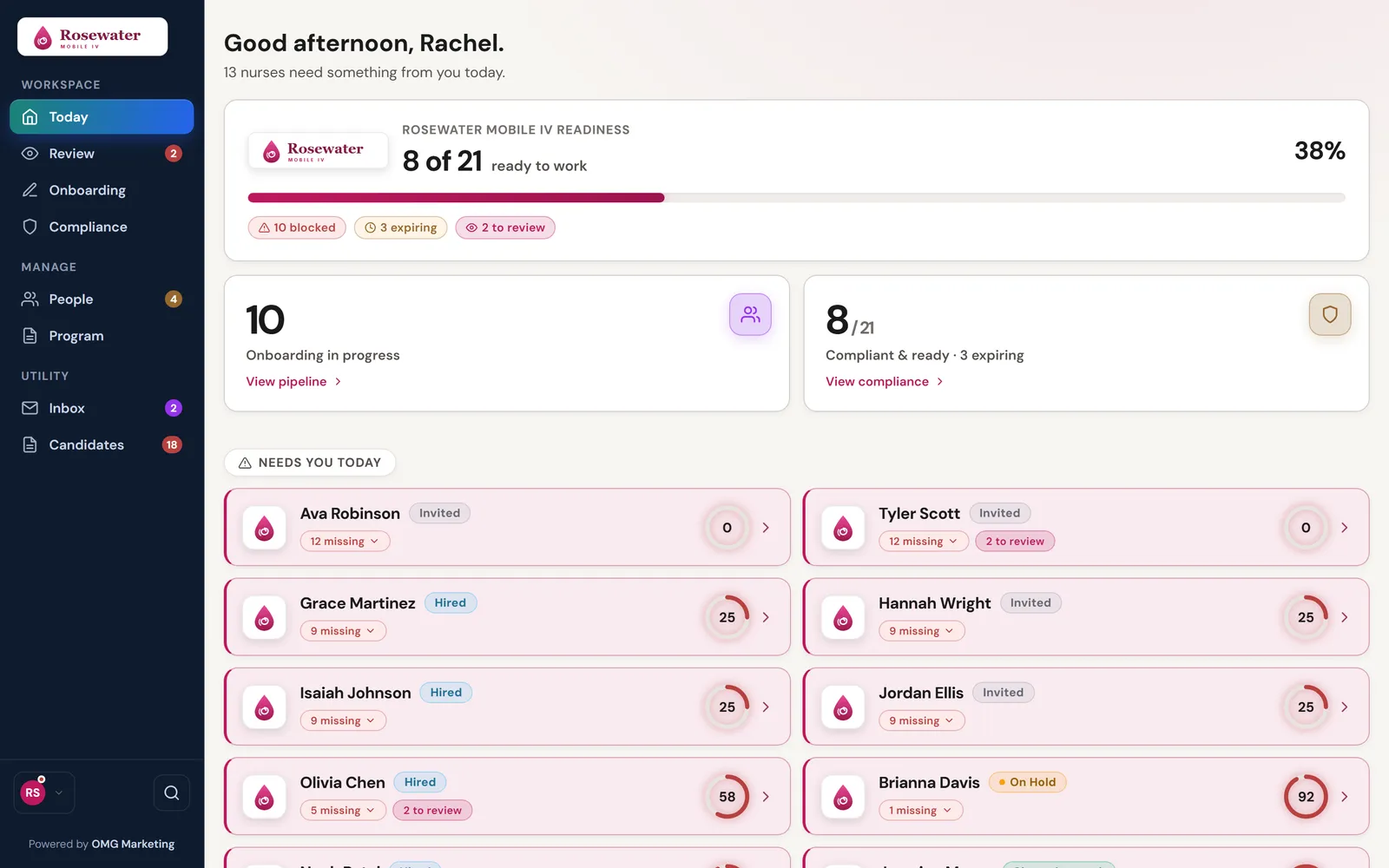
One compliance chart for every nurse: licenses, certifications and insurance. Each row is a nurse, each column a credential, each box its expiry date.
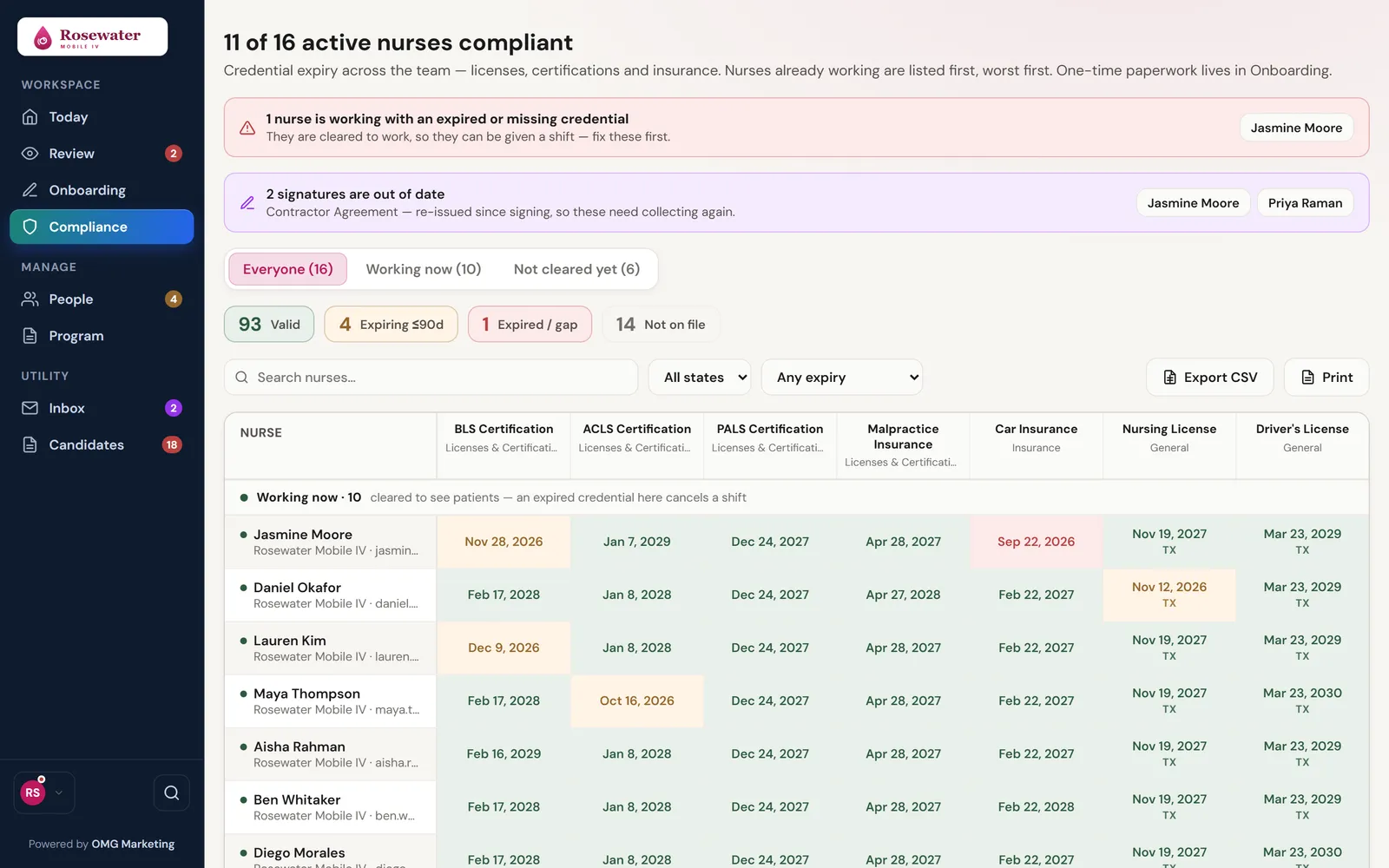
- Problems first. Anyone working with an expired or missing credential is named at the top of the page.
- Agreements kept current. When an agreement is rewritten, the chart names everyone whose signature is on the old version.
- Working nurses first. An expired license on a nurse who’s already working could cancel a visit today, so they sort to the top.
- Filter, export, print. By license state, by working or onboarding, or by what expires in the next few weeks.
- Colored by how close. Every box is an expiry date: amber inside 90 days, red once it has run out.
When a license nears expiry
Nothing runs out quietly.
Every license, certification and insurance with an expiry date is counted down. Here is what happens on the way.
90 days out
It turns amber on your compliance chart.
60 days out
Her first reminder email goes out.
30 days out
A second reminder.
7 days out
A third, a week before.
1 day out
The last one, the day before.
Expired
If she’s working, she’s named at the top of your chart, in red.
Each reminder goes out once, on its own. Your company can have its own reminder days.
Paperwork, counted
Each nurse’s record counts what was never handed in, what’s expiring soon and what’s waiting on a reviewer. With nothing left, it reads “Documents in order”.
Training comes round again
Set a step to repeat every 6, 12 or 24 months, and she’s emailed before it’s due.
A rewritten agreement
Send the new version to everyone who signed the old one, and see by name who still hasn’t signed it.
Getting set up
You tell us how you work. We build it in.
Your checklist starts from our standard one. We take out what you don’t need, put the rest in your order, and add what’s only yours.
-
You
You tell us
- What your nurses must do, sign and hand in
- The software they need to get into, like your team chat and charting system
- The prescriber details your supplier applications ask for
- Who runs interviews, and when they’re free
-
Our team
We set it up
- Your logo, color and welcome line, read from your website
- Your apply page and its QR code
- Your checklist in order, split into before and after the interview
- Your suppliers and kit list, with buy links
-
Your nurses
They get
- One link that opens on their phone
- Your welcome, and every step in your order
- A thread with the office for any question
- Reminders before anything is due
How it connects
A bench of cleared nurses, ready for the next request.
DripReady keeps the nurses ready that dispatch sends out. Each step has its own page.
Questions
DripReady, answered.
Can I buy DripReady on its own?
No. DripReady is exclusive to OMG clients.
Whose brand do my nurses see?
Yours. Your nurses see your logo, your colors and your own welcome message, and so would your managers’ home page if we give them a login. We can read your logo and color straight from your website.
Who does the hiring work?
Our team works the list: screening, license look-ups, interviews, document review and clearing nurses to work. You tell us how you hire, and we follow it.
What if a license lapses after she’s cleared?
We take the clearance back the moment we know, and it can’t be taken back without a written reason. The clearance and the reversal both stay on her record.
What if a nurse needs a break?
We can put her on hold at any step, and lift it later without losing her place.
What happens when a license is about to expire?
It turns amber on your compliance chart, she’s emailed reminders on the way, and anyone working with an expired or missing credential is named at the top of the chart.
Can my own manager approve documents?
Yes, if you’d like. We can switch that on for your company, along with adding and editing nurses. Each one is off until you ask for it.
Do my nurses need to download an app?
No. It opens in the browser on their phone, and they can add it to their home screen like an app.
Can you bring in the nurses I already have?
Yes. We can import your existing roster from a spreadsheet. Before anything is saved we see, line by line, what will be added or updated, and anything already on file is left as it is.
Is that a real company in the film?
No. Rosewater Mobile IV is a demo company, and the nurses are invented.
Let’s grow yours.
Tell us where you are and where you want to be. We’ll show you what we’d change first.
Apply for your strategy Not open yet? The Mobile IV Therapy Academy is free →